First batch of 100 · Designed and assembled in Brisbane
THE ORB.
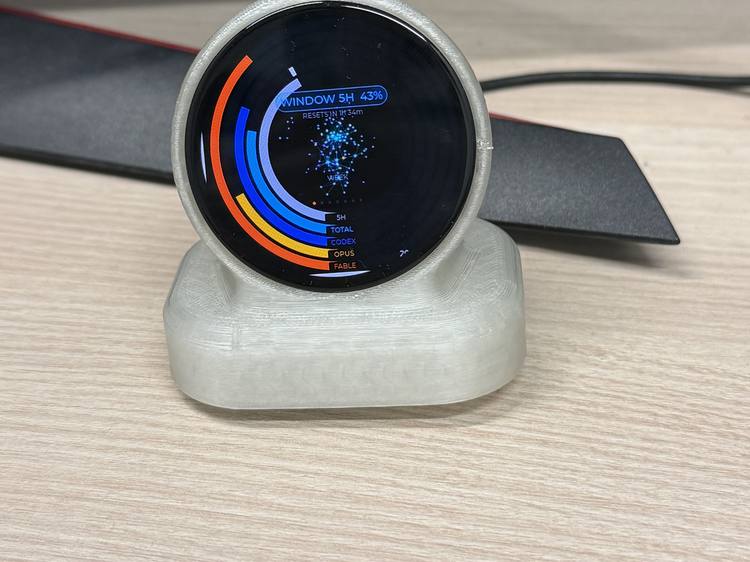
See an estimate of where you are on your weekly Claude Code and Codex limits, at a glance. THE ORB is a round, always-on display for your desk. It shows one thing at a time: an estimate of your Claude Code, Codex or Grok usage this week and today, a focus timer you can watch drain, your next meeting. When Claude Code is waiting on you, it glows yellow, and you accept or deny its prompts, or answer its questions, right from the orb.
A$199
- Ships within 4 weeks of your order
- Cancel for any reason before it ships: full refund
- No account, no cloud, no subscription
- Secure checkout by Stripe
- Runs on your Wi-Fi: no cable to your computer
- Updates itself over Wi-Fi
Needs a Mac or a Windows PC on the same Wi-Fi. Australian addresses only. Terms of sale, delivery and refunds
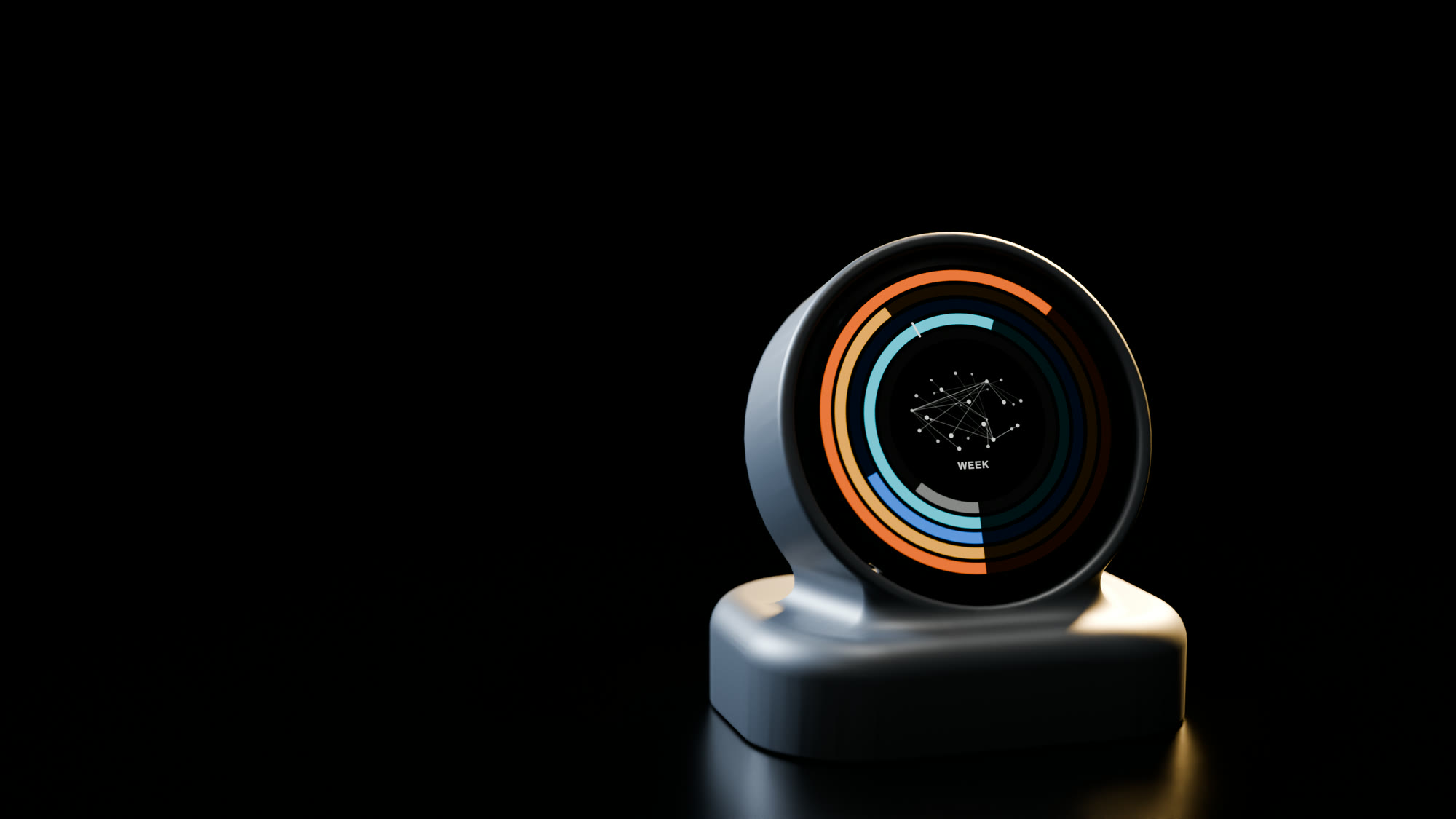
Render of the batch unit, WEEK face.
Built for our own desk first.
We liked glancing at it so much that we made it into something anyone can put on theirs.

Wireless. No cable to your Mac or PC.
Runs on your Wi-Fi.
THE ORB joins your 2.4 GHz Wi-Fi and talks to the free companion app on your Mac or PC over your own network. Keep the computer on and on the same network, and the ORB can sit anywhere in Wi-Fi range.
Just needs power.
It only needs USB-C power (5 V), from a phone charger or any USB power point. It doesn’t plug into your computer, and there’s no battery to charge or wear out.
Updates over the air.
New faces and fixes arrive over Wi-Fi from the companion. Nothing to plug in. Each update is checked before it installs, and if a new build can’t reconnect, it rolls back on its own.
Six faces. One thing at a time.
| Face | What it shows |
|---|---|
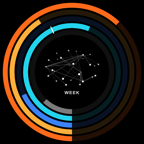 WEEK |
Five usage rings for the week: two model budgets, the all-models total, the 5-hour session, and a pace tick showing how far through the week you are. Estimated from your Claude Code, Codex or Grok sessions on your computer. You choose what each ring shows. |
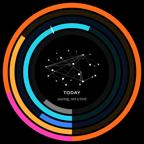 TODAY |
The same five rings for today. Day figures are pacing, not a limit, so any overage draws in magenta rather than red. |
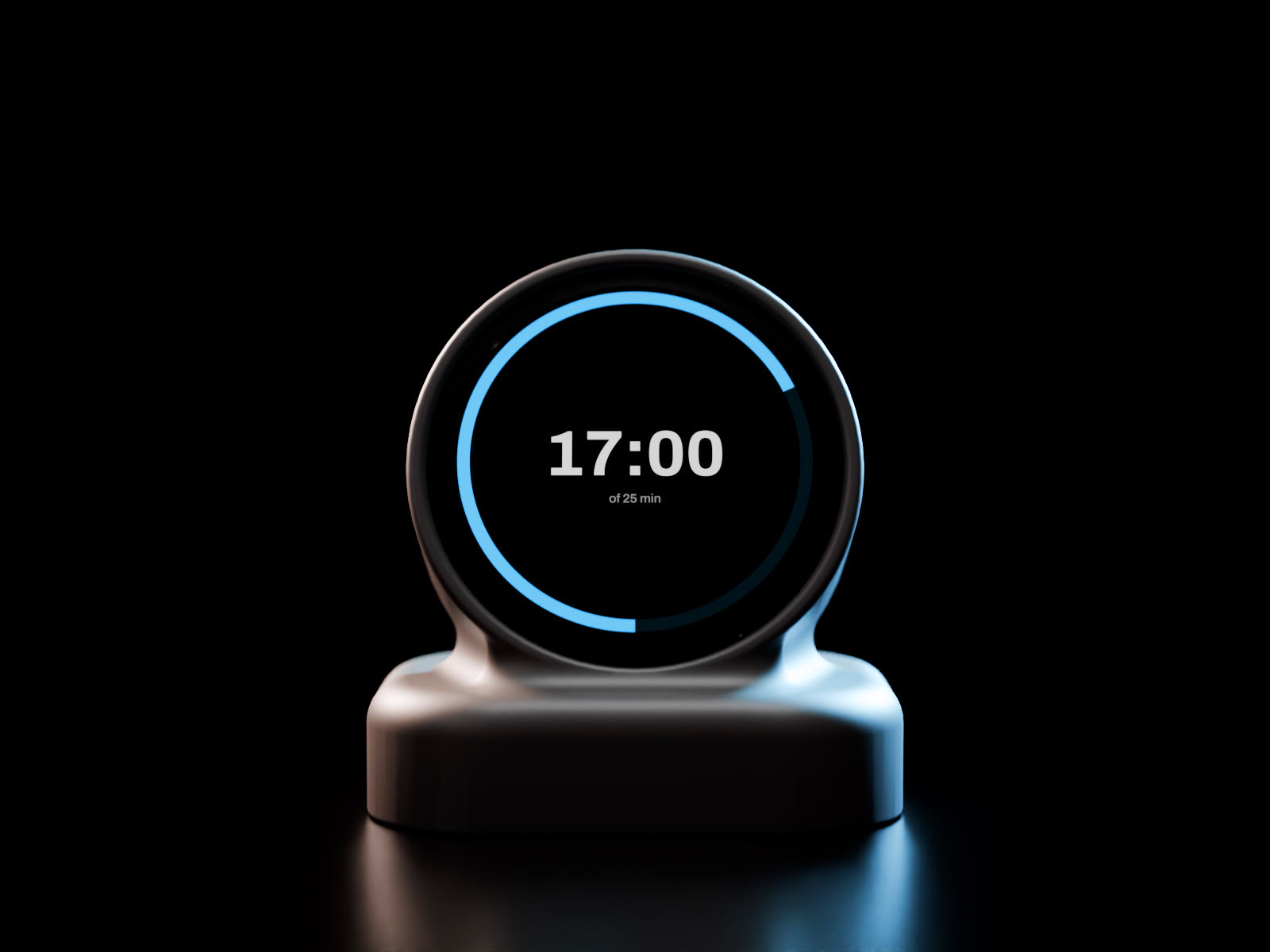
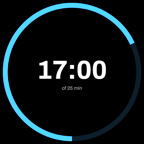 TIMER |
Tap for 25 minutes, hold for 50. The ring drains. It chimes and speaks when the time is up. |
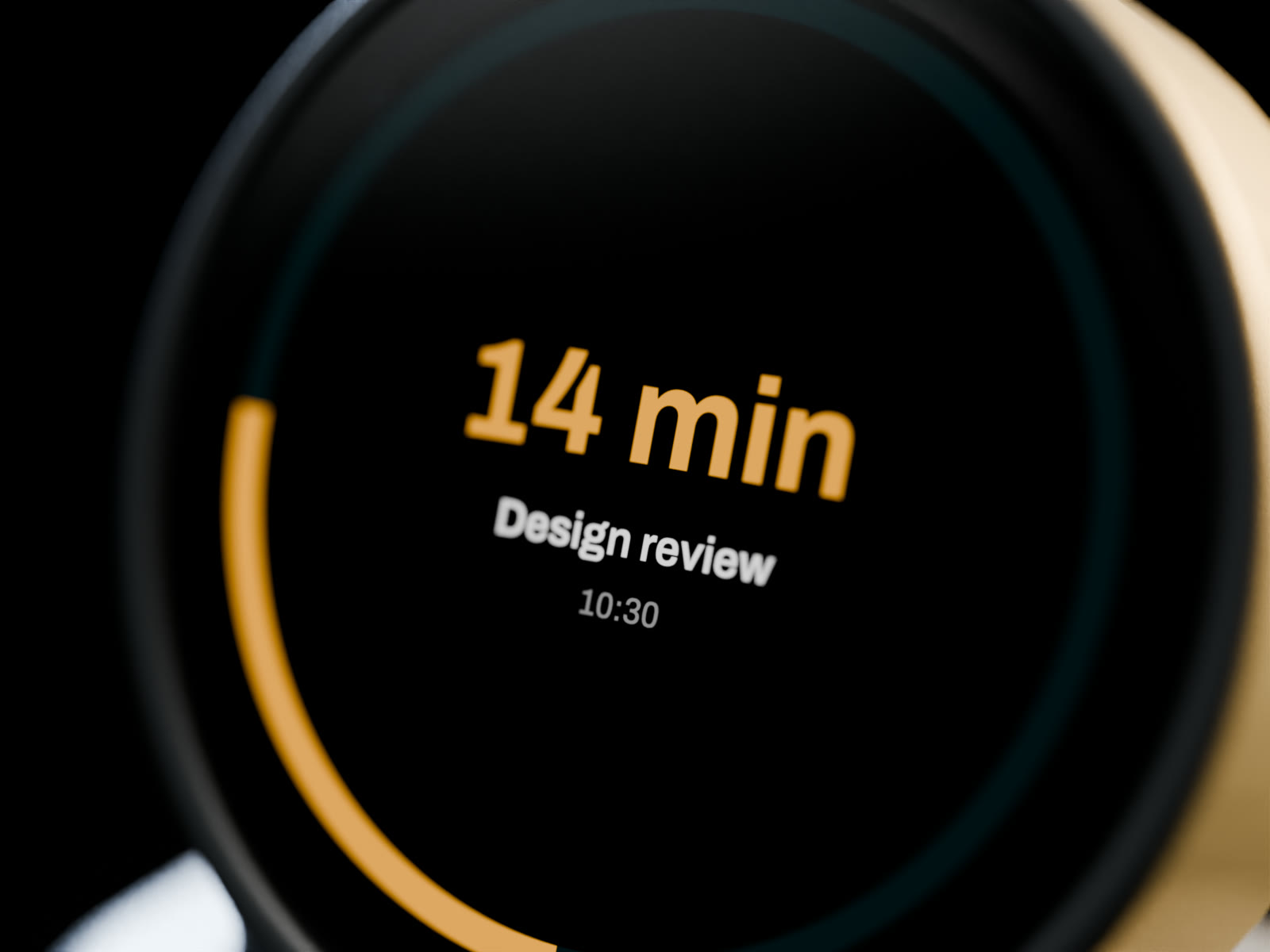
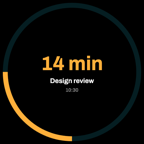 NEXT |
Your next calendar event and a countdown, amber inside 15 minutes. |
 TASKS |
One open item at a time. Tap to advance. Adding your own tasks is coming in an update; empty until then. |
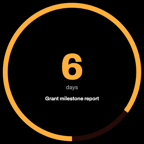 DUE |
The slow, heavy deadlines, in days. Red inside two, amber inside seven. Adding your own deadlines is coming in an update; empty until then. |
More faces.
On top of the six above, the first unit already runs Weather, a day clock, System, a Bitaxe miner face, a magic ball and Scan. Clock, Bitcoin price and Now playing are planned for an update. Every face runs from the companion on your Mac or PC, so it works with no account and nothing in the cloud; only the Weather face needs the internet, when the companion fetches a keyless forecast.
Weather
Now and today. Running on the first unit.
Day clock
The time and date on a 24-hour dial, with the rest of your day around it. Running on the first unit.
Clock
Local time, or three world clocks on one ring. Planned for an update.
System
A resource monitor: CPU, GPU, memory and temperatures of the computer it’s paired with. Running on the first unit with a Mac. On a Windows PC, GPU load and GPU temperature need an NVIDIA graphics card, and CPU temperature isn’t shown.
Bitaxe miner
Hash rate, temperature and luck for a Bitaxe solo miner on your network. Running on the first unit.
Magic ball
Shake it, or tap it, for a ruling on the hard calls, in proper Australian. Running on the first unit.
Scan
A QR code that opens the companion’s web app on your phone. Running on the first unit.
Bitcoin price
The Bitcoin price on a ring. Planned for an update.
Now playing
What’s playing on your computer, with a progress ring. Planned for an update.
Later, on request
Stocks and crypto, Home Assistant, a message board, GitHub, network, planes overhead, a pet, 3D-printer progress, air quality.
Faces are chosen, ordered and configured from a small web app the companion serves on your Mac or PC, and by touch on the device. No account needed. An iPhone app is coming to the App Store; until then the web app works in your phone’s browser.
Set it up in the web app.
The companion on your Mac or Windows PC serves a small web app you open in a browser, on the computer or your phone. Choose which faces the orb shows and in what order, preview any face before it reaches your desk, and set the speaker volume. It runs on your own network, with no account and no cloud.


- Pick and order faces.Switch faces on or off and set the order the orb turns through them.
- See what the orb sees.Preview each face, laid out the way the orb draws it, before you save.
- Set the volume.One speaker level for everything the orb says out loud.
- Runs on your own network.No account, no sign-up, no server of ours.
iPhone appThe same controls in a native iPhone app, coming to the App Store. Until then, the web app works in your phone’s browser.


The TIMER face is the point.
Losing track of time is common, and with ADHD it has a name: time blindness. A common tip is to make time visible. A shrinking ring is easier to notice than a number you have to remember to check, and a round, always-on display makes a natural visual timer. This one also shows an estimate of your AI usage.
Nothing in the loop but your desk.
THE ORB polls a small companion on your Mac or PC every 30 seconds, over your own Wi-Fi. The only thing that leaves your network is the companion fetching a forecast for the Weather face, and you can switch that face off. There is no account, and no server of ours that it needs to keep working.
Updates reach the device from the companion on your Mac or PC, verified by hash, and if a new build can’t join Wi-Fi and complete a real poll it rolls back on its own.
Desk gadgets that depend on someone else’s cloud stop working when that cloud shuts down. This one depends only on your own computer.
Make it yours.
Claude Code, Codex or Grok.
Use one, two or all three. In the web app you choose what each of the five usage rings shows. Grok doesn’t share a usage limit with its command-line tool, so its ring shows your estimated spend over the past seven days against a budget you set. It isn’t your remaining xAI plan allowance.
Mac or Windows PC.
The companion app runs on a Mac or a Windows 10 or 11 PC. The System face is a resource monitor for the computer it’s paired with: CPU, GPU, memory and temperatures.
Developer mode.
Switch it on in the companion, download our API, and make up to three custom faces that suit your workflow: any script on your home network can put a title, a number, a ring and a few lines on the glass.
What should we build next?
Tick what you’d use, or tell us in your own words. We read every one, and it decides what we build.
Specifications.
- Display
- 1.75-inch round AMOLED, 466 × 466, touch
- Wi-Fi
- 2.4 GHz
- Sound
- Built-in speaker for the timer chime and spoken alerts
- Power
- USB-C, 5 V, from a phone charger or any USB power point. It doesn’t plug into your computer. No battery, nothing to age.
- Works with
- A Mac or a Windows 10 or 11 PC running the free SI30 companion app. iPhone app coming to the App Store.
- Data
- Claude Code, Codex and Grok usage estimated on your computer; calendar, Weather, day clock and System faces; your own tasks and deadlines coming in an update; Now playing planned
- Size
- About 64 × 46 × 67 mm
- Compliance
- Ships with the Australian RCM mark
- Firmware
- Updates itself over Wi-Fi, with automatic rollback. No subscription.
- Guarantee
- Australian Consumer Law guarantees. See the terms of sale.
Who it’s for.
It’s for people who run Claude Code, Codex or Grok on a Mac or a Windows PC. Before you order, check these.
Your computer is often off
Every face runs from the companion on your Mac or PC, so keep the computer on and on the same network as THE ORB.
You need official figures
The Claude Code and Codex rings are estimates the companion makes from your sessions on your computer, so they can differ from what those services show you. The Grok ring is your estimated spend against a budget you set.
You want your own tasks on day one
Adding your own tasks and deadlines is coming in an update. TASKS and DUE stay empty until then.
Buy yours.
THE ORB
A$199incl. GST. Postage within Australia included.



Secure checkout by Stripe. We never see your card number.
Or pay by PayID

- Fill in the order form. You get an order reference.
- In your banking app, pay A$199 to the PayID® PAYID_VALUE, shown as PAYID_NAME. Put your order reference in the description.
- We email you once the payment lands, within one business day.
PayID is a registered trade mark of NPP Australia Ltd ABN 68 601 428 737.
- First batch: 100 units, one per order. Order again for a second. Each ORB is assembled to order in Brisbane after you pay. When the batch sells out, the checkout closes.
- Ships within 4 weeks of your order, then about a week by Australia Post, with tracking. If it’s lost in the post or arrives damaged, email us and we’ll send a replacement or refund you in full.
- Giving it for Christmas? Print this card (A4, fold in half) to give on the day.
- Change your mind? Full refund until it ships. Reply to your receipt or email info@si30.com.au. Not shipped within 4 weeks of your order? Have a full refund straight away, or keep your place. Your Australian Consumer Law rights continue after it ships.
- Needs a Mac or a Windows PC for the free companion app, and 2.4 GHz Wi-Fi with the computer on the same network. No cable to the computer: THE ORB only needs USB-C power. Australian addresses only for this batch.
After you order
- Your receipt. Stripe emails it straight away. Reply to it, or email info@si30.com.au, with any question.
- We make yours. Each ORB is assembled to order in Brisbane and ships within 4 weeks of your order.
- Tracking. When it ships, we email you the Australia Post tracking number and the companion download link.
- Setup. Plug it into USB-C power (a phone charger is fine), join your Wi-Fi, open the web app on your Mac or PC. No cable to your computer. Read the setup guide
Not ready yet? Hear when the next batch opens.
Leave your email and we’ll write once, when it does.
Questions.
When will it arrive?
It ships within 4 weeks of your order, then usually takes about a week by Australia Post. We email you the tracking number when yours ships.
Can I cancel?
Yes, any time before it ships, for a full refund: reply to your receipt or email info@si30.com.au. If it hasn’t shipped within 4 weeks of your order, you can have a full refund straight away, or keep your place.
Can I give it as a Christmas present?
Yes. It ships within 4 weeks of your order, then about a week by Australia Post, so we can’t promise it arrives before Christmas. Print this card (A4, fold in half) to give on the day. At checkout, enter the address you want it posted to. We email the companion download link to you when it ships, so forward it to them.
Does it work with Grok, or only Claude Code and Codex?
Use any of the three, or just one. In the web app you choose what each of the five rings shows. Grok doesn’t share a usage limit with its command-line tool, so its ring shows your estimated spend over the past seven days against a budget you set. It isn’t your remaining xAI plan allowance.
Can I ask for a feature?
Yes, please. Use What should we build next? on this page. We read every request, and they decide what we build next.
Does it need to be plugged into my computer?
No. THE ORB only needs USB-C power, from a phone charger or any USB power point. It talks to the free companion app on your Mac or PC over your own Wi-Fi, so the computer just needs to be on and on the same network. Updates arrive over Wi-Fi too.
Does it work with a Windows PC?
Yes. The free SI30 companion app runs on a Mac or a Windows 10 or 11 PC. On a Windows PC, the System face’s GPU load and GPU temperature need an NVIDIA graphics card, and CPU temperature isn’t shown. An iPhone app is coming to the App Store; until then the companion’s web app works in your phone’s browser.
How does it know my Claude Code and Codex usage?
The companion estimates it from your Claude Code and Codex sessions on that computer. It’s an estimate, not an official figure from Anthropic or OpenAI, so it can differ from what those services show you.
Does it need an account, the cloud or a subscription?
No. THE ORB talks only to the companion on your Mac or PC, over your own Wi-Fi, and its updates come from the companion too. For the Weather face, the companion fetches a forecast from a public forecast service, and you can switch that face off. There’s no SI30 account to sign up for and no SI30 subscription.
Is it made by Anthropic, OpenAI or xAI?
No. THE ORB is designed by SI30 Pty Ltd and assembled in Brisbane. It isn’t affiliated with or endorsed by Anthropic, OpenAI or xAI.
What if it’s faulty?
Email info@si30.com.au with your order number. Your ORB comes with guarantees under the Australian Consumer Law, so a fault means a repair, a replacement or a refund. The details are in the terms of sale.
Can I get a tax invoice?
Yes. The price includes GST. Email info@si30.com.au with your order number and we’ll send you a tax invoice.
Do you ship outside Australia?
Not for this first batch: Australian addresses only. Leave your email above and we’ll write once, when the next batch opens.
Who is SI30?
SI30 Pty Ltd is a Brisbane company (ABN 48 702 847 149) that designs and builds hardware and software. Reach us at info@si30.com.au or 0410 383 332.
First batch of 100. Each ORB ships within 4 weeks of your order. Cancel for any reason before yours ships for a full refund.