

Custom software, AI systems and apps · Built in Brisbane
System Integration Experts. We build what real life runs on.
Most of what we build started as a problem of our own. Now we build for Brisbane businesses too: one system from the first call to the paid invoice, connected to the software you already pay for. It starts with a free first meeting where we map how a job moves through your business and show you where it gets stuck.
SI stands for system integration: connecting the software, devices and people a business runs on into one system. 30 is our starting menu of 30 numbers for a business dashboard.
First meetingOne free video call. You keep the map.
Stage oneFixed price, from $3,000 ex GST
Stage one livePlanned for 4 to 6 weeks after you go ahead
You deal withThe team that builds your system
Most software asks people to fit the system. We start with the people: who’s doing what today, what’s for dinner, which shift has nobody on it, which invoice is late. Then we build the system around them.
For Brisbane businesses.
Start with the free job map. See where your jobs get stuck before you pay a cent.
Our first meeting is free: one video call, about an hour. We map how a job moves through your business and show you where it gets stuck. You keep the map, a one-page PDF, whether or not you go ahead.
Who it suits. A business where someone retypes the same job from one program into another, or where a spreadsheet runs the place and one person really understands it. If a ready-made system already fits, we’ll tell you. Stuck on Microsoft Access? Start here.
Why believe us? Start with what we already use. Homified, our household app, is free on the App Store, and a brief we built reads our three mailboxes every morning and sends one email that says what needs us. Everything below says where it’s up to.
If you go ahead
- Worst bottleneck first. That’s what stage one fixes, at a fixed price from $3,000 ex GST, agreed in writing before work starts. Hosting and support are a separate monthly cost, quoted up front with stage one.
- Keep the software you have. Often the best stage one connects what you already have, like Xero or your job software, and fills the gaps around it.
- Planned live in 4 to 6 weeks. We plan for stage one to go live within four to six weeks of the go-ahead.
- No disappearing for months. A demo every week on a private link while it’s built, and your feedback goes into the next week’s work.
- Tried before it’s switched on. Your team uses it on real jobs alongside the old way, with a training session, a one-page guide and short how-to videos.
- One automation at a time. Each one is switched on with your sign-off.
How much of your time it takes. A few lines to start. In week one, some time with you, your office and a team leader. In weeks five and six, your office and one team try it on real jobs. The rest is our job.
You’ll hear back within one business day. Rather talk? Call 0410 383 332, weekdays 8am to 5pm.
The free pilot is open now. Coming to the App Store.
SI30 Solo. Notes, reports and invoices for people who work for themselves.
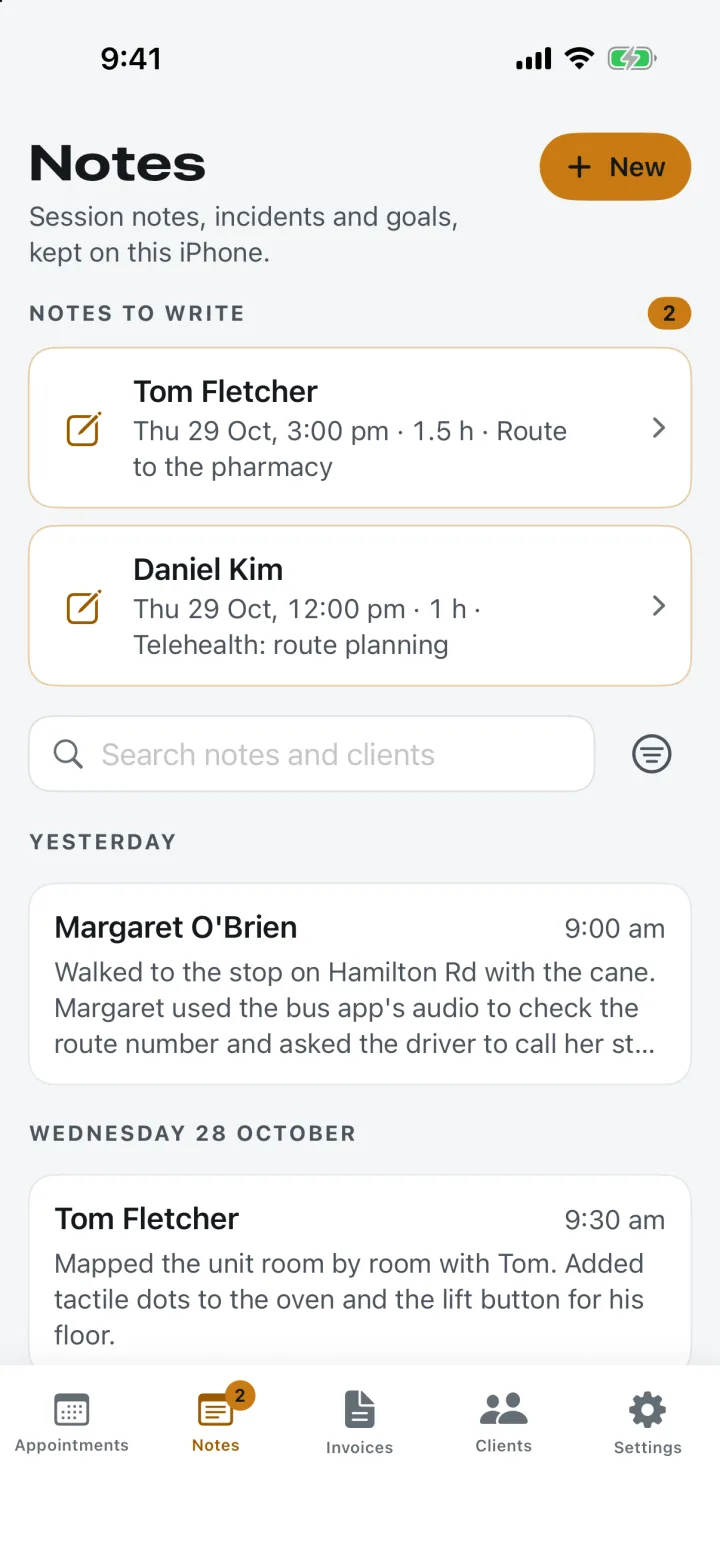
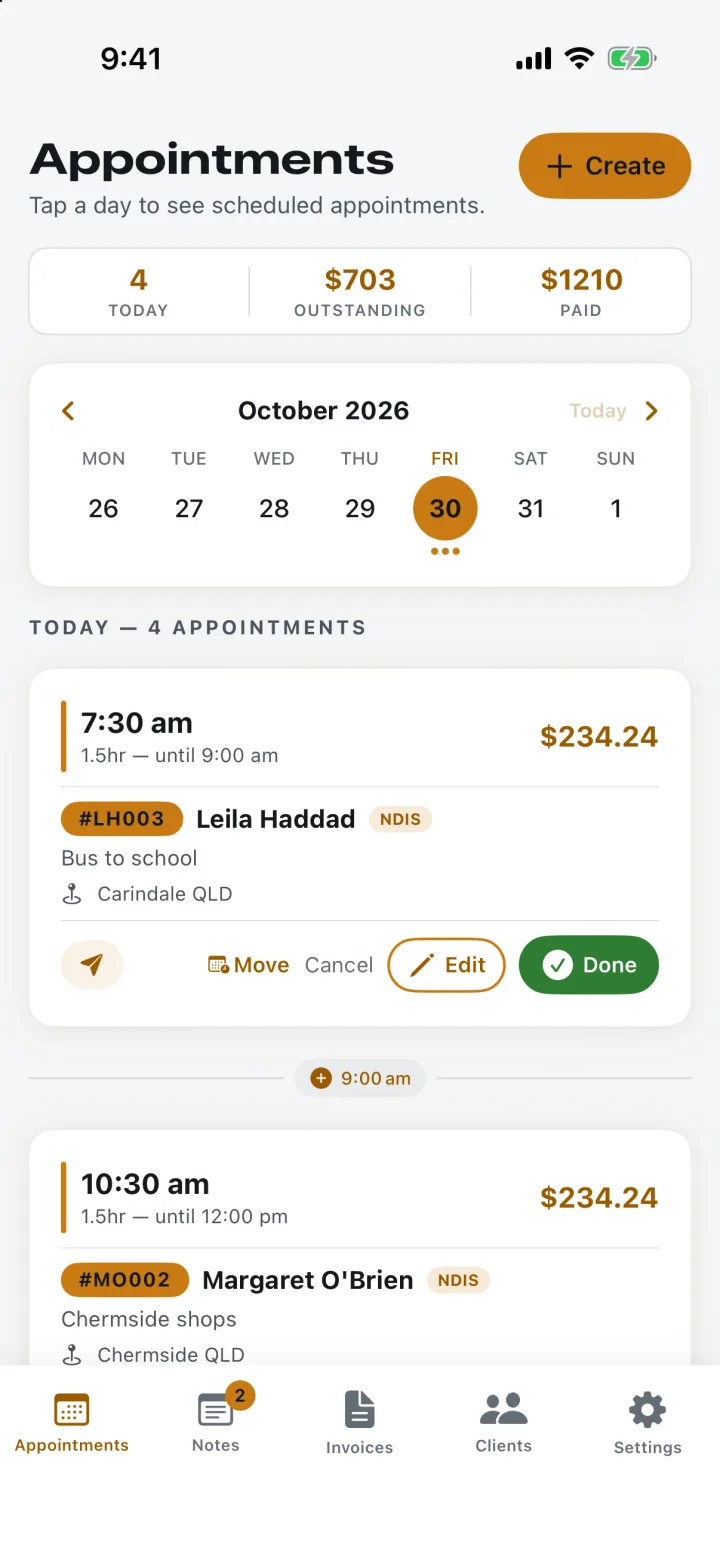
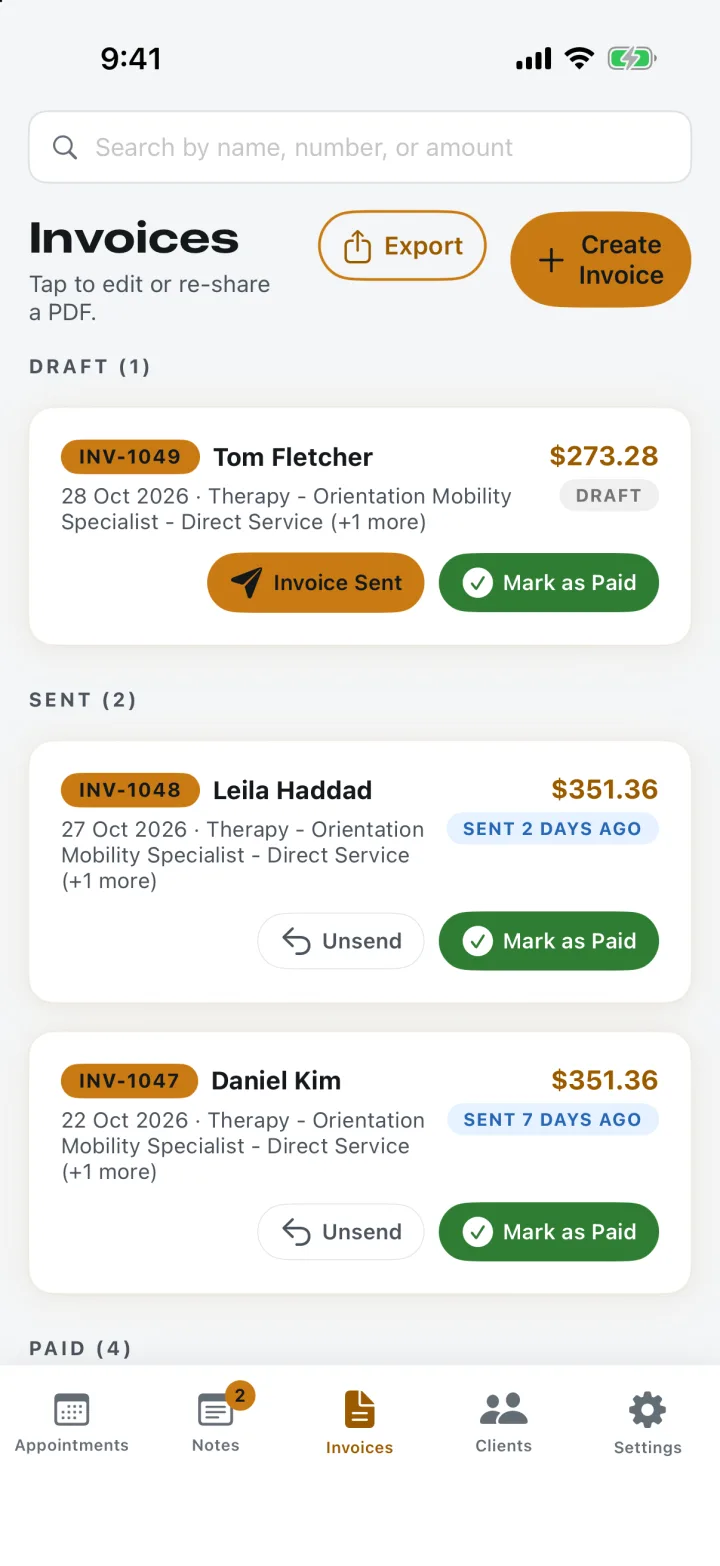
Notes, Appointments and Invoices. The real app, with a sample practice and made-up clients.
An iPhone app for NDIS support workers and therapists who run their own practice: session notes, goals, incident records, progress reports and NDIS invoices, all on the phone in their pocket.
Built for one person running their own practice, with nothing in it they don’t need. Your clients’ records stay on your iPhone: no account, no SI30 server, no tracking.
What it does
- Session notes. One for each session, tied to the appointment and the goals you worked on. Finished sessions without a note wait at the top, so nothing slips.
- Goals and progress reports. Each client’s plan goals, and a clean PDF report for any period, ready for a plan review.
- Incident records. What happened, what you did, who you told. Always in your own words.
- NDIS invoices. Support items from the NDIS Support Catalogue 2026–27 with their price limits, sent as a PDF by email, Messages or AirDrop.
- Finalised means finalised. A finalised note can’t be quietly changed. Corrections are added as dated amendments.
- Backup and lock. All your data in one backup file you keep, and the app locks with Face ID.
The free pilot is open now. Pilot members use it free during the pilot, then get their first 3 months free at launch. After launch, everyone else gets 14 days free, then A$29 a month, charged by Apple. See SI30 Solo. SI30 Solo isn’t made by or connected with the NDIA or the NDIS Quality and Safeguards Commission.
In daily use at home. Free on the App Store.
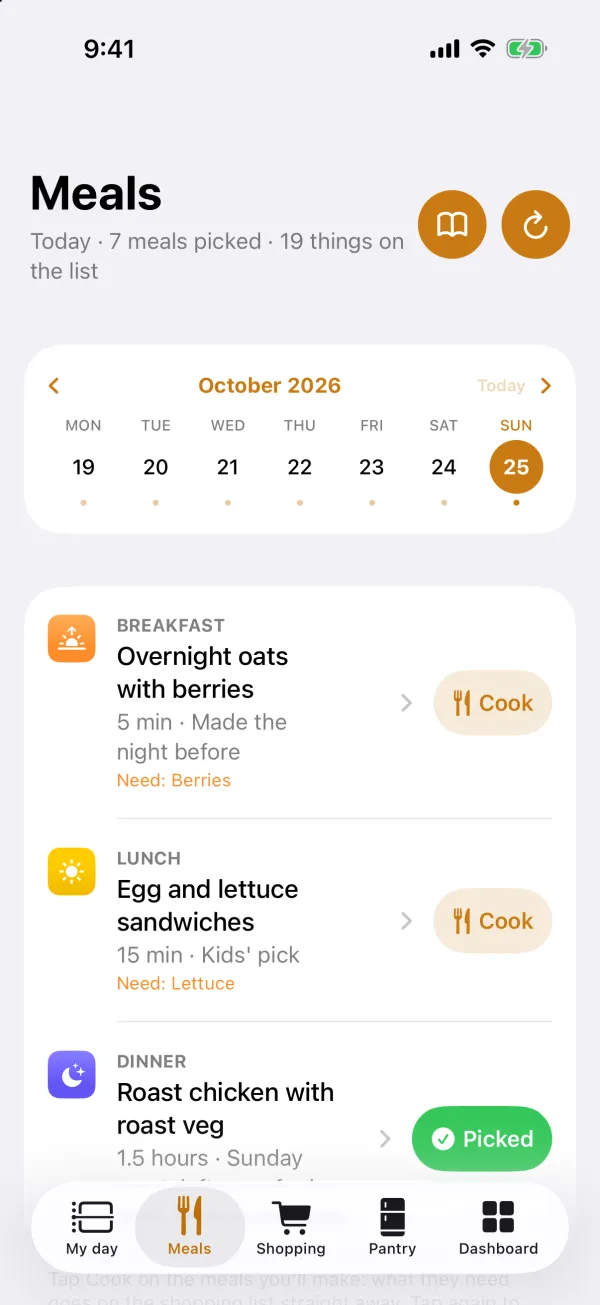
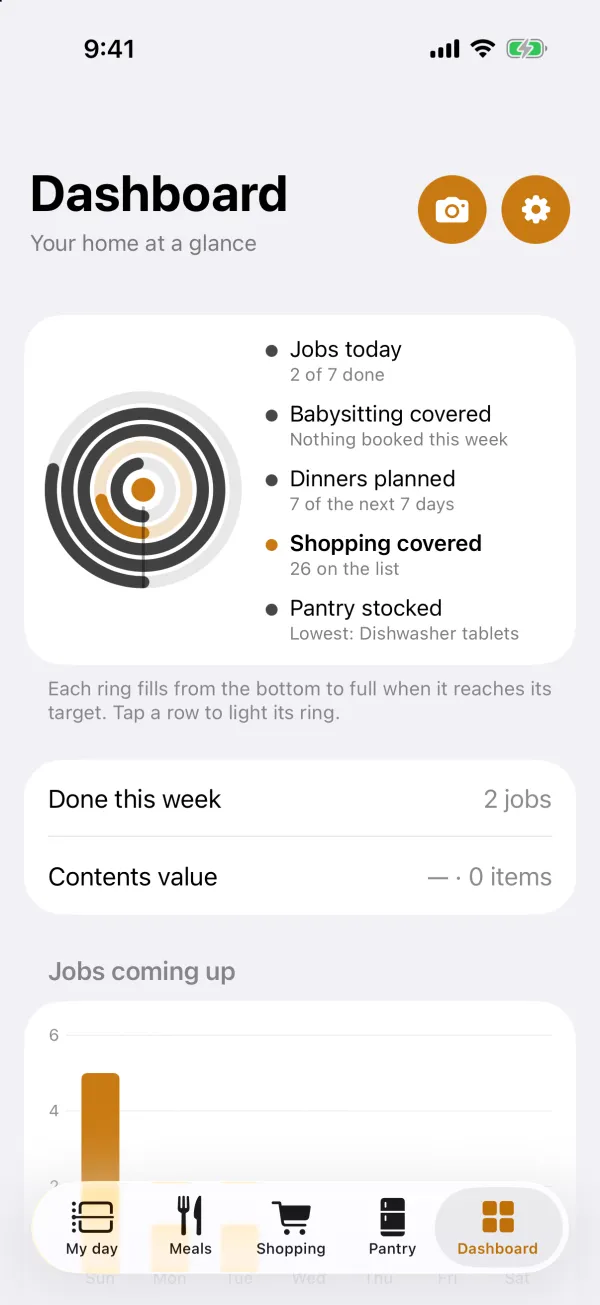
Homified. The app that runs our house.
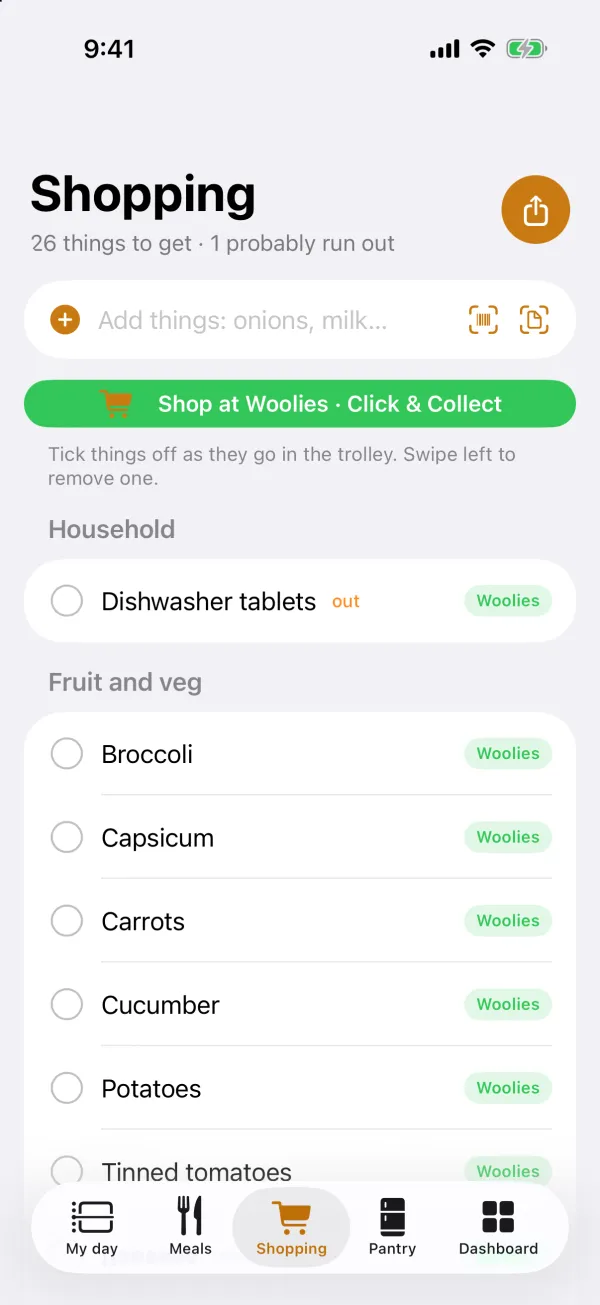
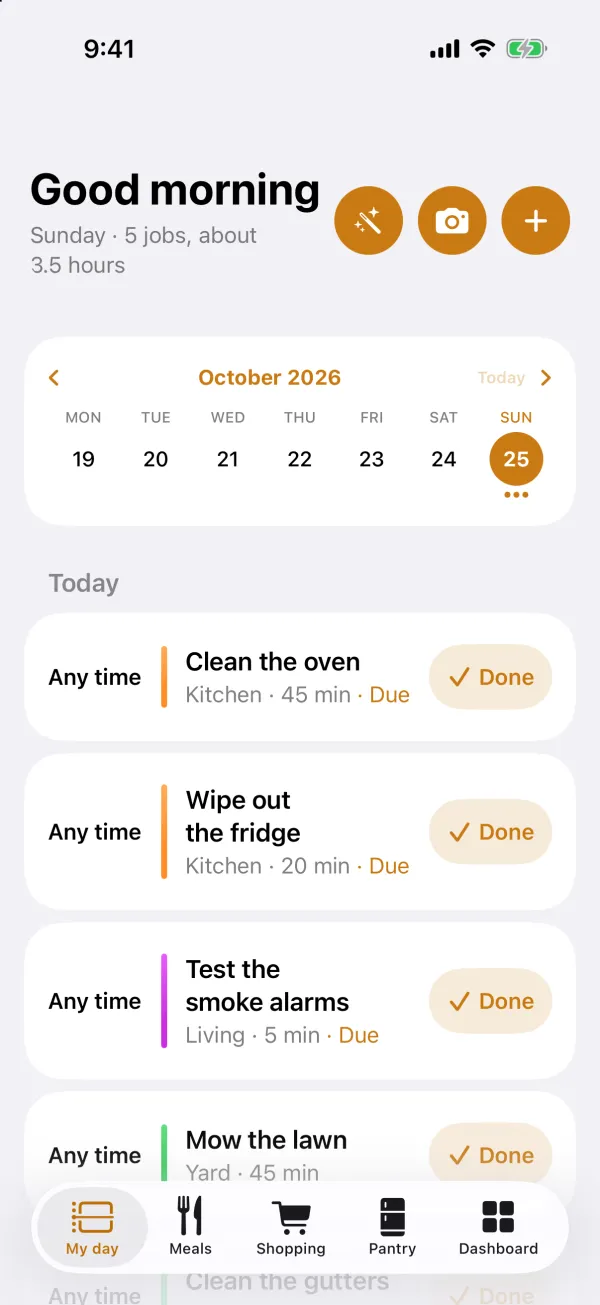

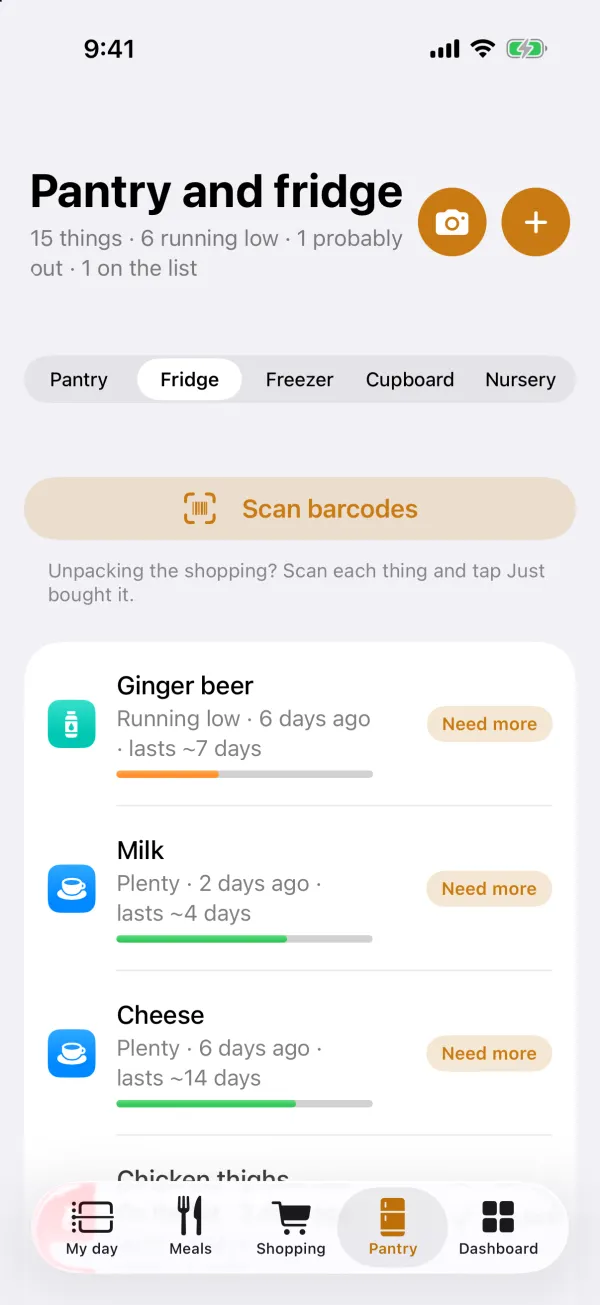
Shopping, My day, and the Woolworths walk-through. Fictional household.
One app for the whole household: who’s doing what today, what’s for dinner this week, what we’re running low on, and opening each item on the shopping list in Woolworths, ready to add.
Why it exists
We moved house, and a lot of life changed at once. Jobs slipped through the cracks, nobody knew what was in the fridge, and the shopping list lived in three different places. So we built the app our family needed, and kept changing it until everyone at home actually used it. Any screen that felt like work got redesigned until it felt as easy as a checklist.
Built to help neurodivergent families
Homified carries the remembering, so nobody in the house has to hold it all in their head.
- Your day as one list. My day lays out each person’s day top to bottom: set times first, then anything that can be done any time. A job handed to someone else never lands on your to-do.
- A nudge to finish. When a timed job or appointment ends, the phone asks “all done?” until it’s ticked off.
- Each kid’s week at a glance. Every child has their own colour, with school, activities, appointments and chores in one place.
- Only what you use. Switch meals, shopping, pantry or chat off on any phone and those screens disappear. Nothing is deleted.
- Nothing lost to a wrong tap. Ticking a job off, deleting it or moving it to tomorrow all come with an Undo.
What it does
- My day. Each person’s jobs for today, with a week strip, shared across the household through iCloud.
- Meals. Plan the week’s dinners and keep the recipes with them.
- Shopping. A list that learns how often you restock from what you really buy, with barcodes and a receipt scanner.
- Pantry. Stock levels at a glance, and a photo check of the fridge.
- Woolworths hand-off. Woolworths has no ordering API, so each item opens in the Woolworths app or website, then checkout, where you pick Click & Collect. Nothing is automated inside Woolworths: every tap there is yours.
- Pings, chat and voice messages between the people in the house.
Free, and it stays local: your household’s information lives on your phones and in your own iCloud, with no account and no server of ours. Free on the App Store in Australia: get Homified. It’s here because it shows how we work: build it, live with it, and fix what annoys the people using it. Homified support and privacy.
Built and tested. Not live yet.
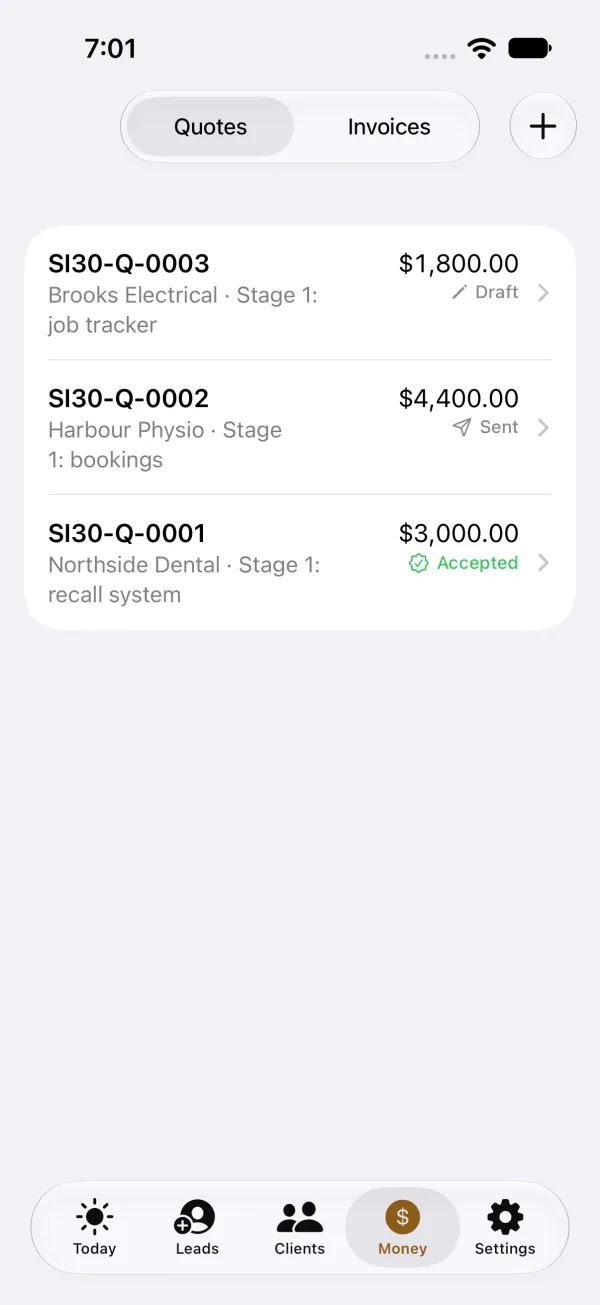
SI30 Desk. A CRM that hands you the next step.
Our own system for enquiries, clients, quotes and invoices, with a web app for the office and a native iPhone app. Every item arrives with its next action already prepared, so most of the day can be approve, tweak or snooze.
Why it exists
Small businesses rarely lose work for lack of software. They lose it because nobody followed up. We wanted a system that does the chasing and leaves people with only the decisions.
What it does
- Today. New enquiries, emails with a drafted reply, follow-ups and overdue invoices, each with Send, Edit, Snooze or Done.
- Leads, clients and money. Every lead keeps the page it came from. Quotes and invoices go out as PDFs by email.
- Alerts on your iPhone. A new enquiry, a 6 am brief, quote and invoice reminders, and a daily heartbeat, so silence means something is wrong.
- Safety built in. Nothing leaves without a tap, a double tap still sends once, and “Pause everything” works from the phone.
- AI on a budget. Drafts are for a person to check, AI spending is capped, and it falls back to plain rules if the cap is reached.
- Website hand-off. Enquiries from your website land in the Desk without slowing the visitor down.
Losing work to slow follow-ups? We can build this kind of system around the way your enquiries come in now. Tell us how they arrive.
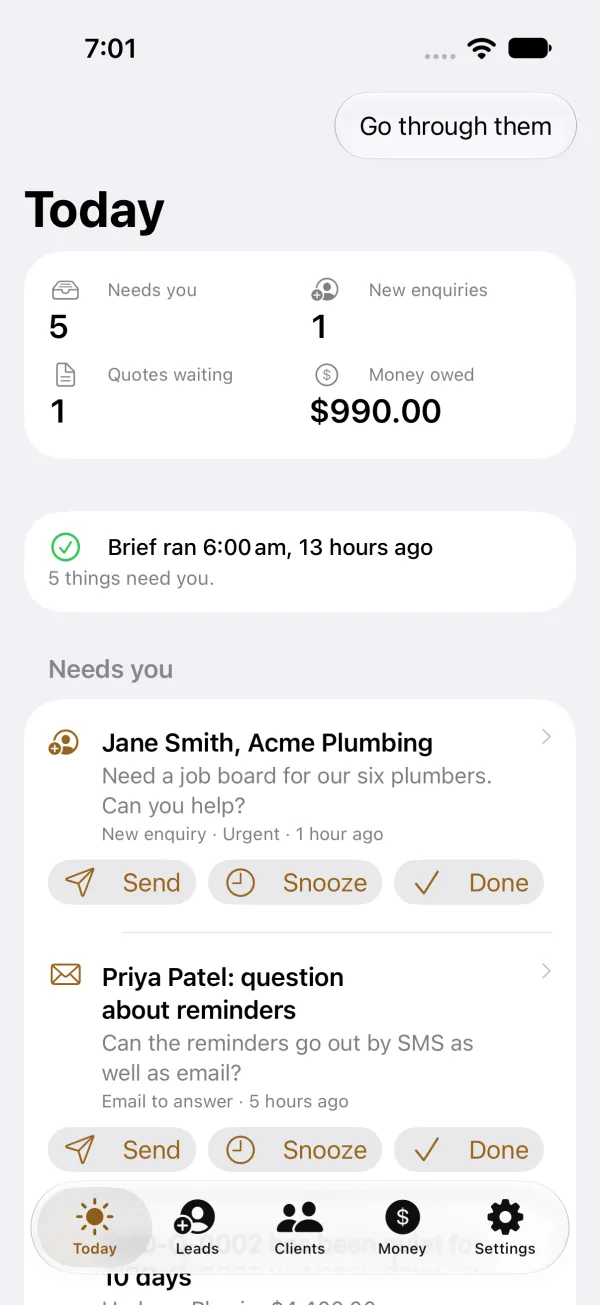
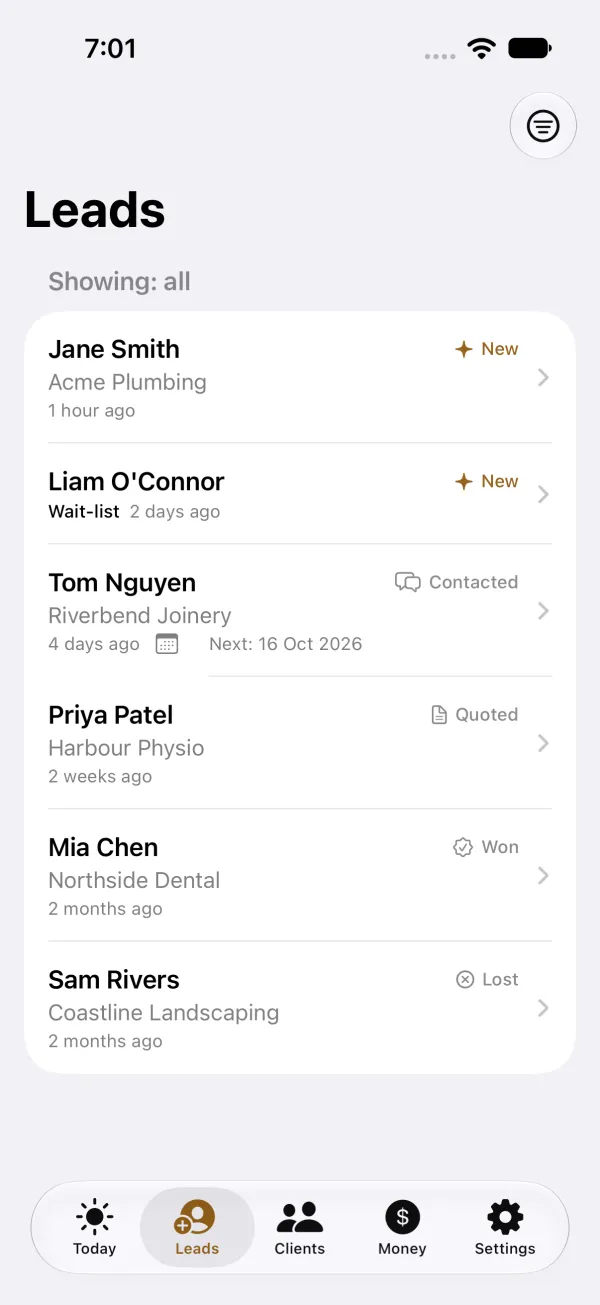
The iPhone app, with fictional people and businesses.
Office demo with fictional data. Private preview on request.
SI30 Care. Operations for NDIS providers.
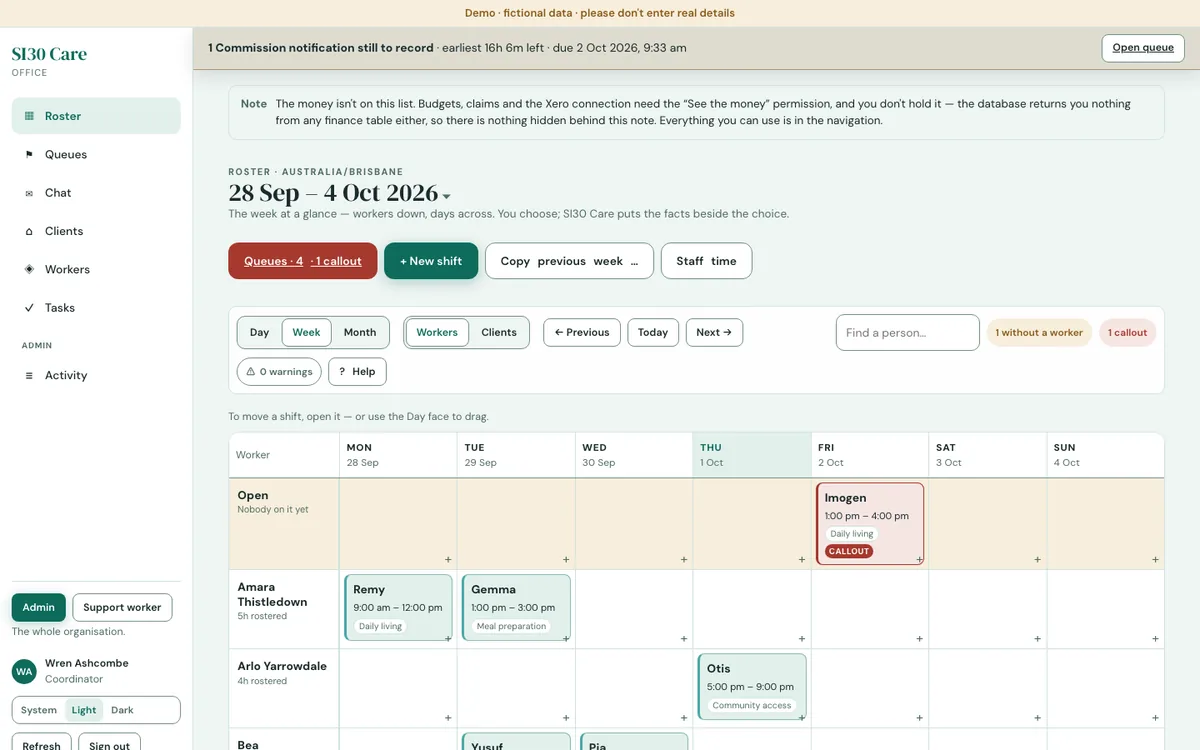
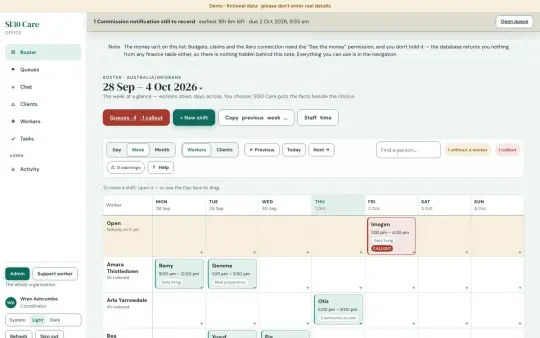
Rostering, shift notes, incidents, worker screening, claims and invoicing, in a web app for the office, an iPhone app for support workers (built, not released yet), and a portal for clients and their families. One path from a worker’s shift note to a chased invoice, or a claim file for agency-managed participants.
Why it exists
Care work runs on paperwork that can’t be missed: a screening about to expire, a shift note that never arrived, an incident with a reporting deadline, an invoice nobody followed up. We built Care so a worker’s note is entered once, and from there it shows the office what needs chasing. The office decides.
What it does
- Clock on and off with GPS. The worker’s iPhone app records where and when a shift starts and ends. A shift without its note is held back from the claim until the note is in.
- Rostering that checks itself. A worker picker that refuses anyone who isn’t screened, expiry tracking, and an incident clock that counts down the reporting deadline.
- Text messages in one tap. When a shift needs cover, one tap texts every screened worker who’s free at that time, with the day, time, type of support and suburb, never the client’s name or address. The office can also text a worker that their shift has changed or been cancelled.
- From shift note to paid invoice. Once the note is in, Care makes the invoice for whoever pays, the plan manager or a self-managed participant, emails it, sends reminders when it’s late, and records the payment. Anything it can’t invoice becomes a task for the office, with the fix spelled out.
- Straight into Xero, or no Xero at all. Invoices can go into Xero, and payments can be read back from it. Without Xero, Care still makes, sends and chases every invoice itself. Agency-managed claims are prepared as a file for the NDIA’s bulk upload.
- A portal for clients and families, and permissions by role, so each person sees only what their job needs, with an audit log of changes.
The office app is the demo you can preview. The worker app is built but not released yet. Invoice emails and texts are built but switched off in the demo: invoice emails start once a provider’s own system is switched on for sending, and texts also need an SMS account connected first. See SI30 Care (private preview: ask us for access).
In testing. Coming to the App Store.
INV-101. Invoicing on your iPhone.
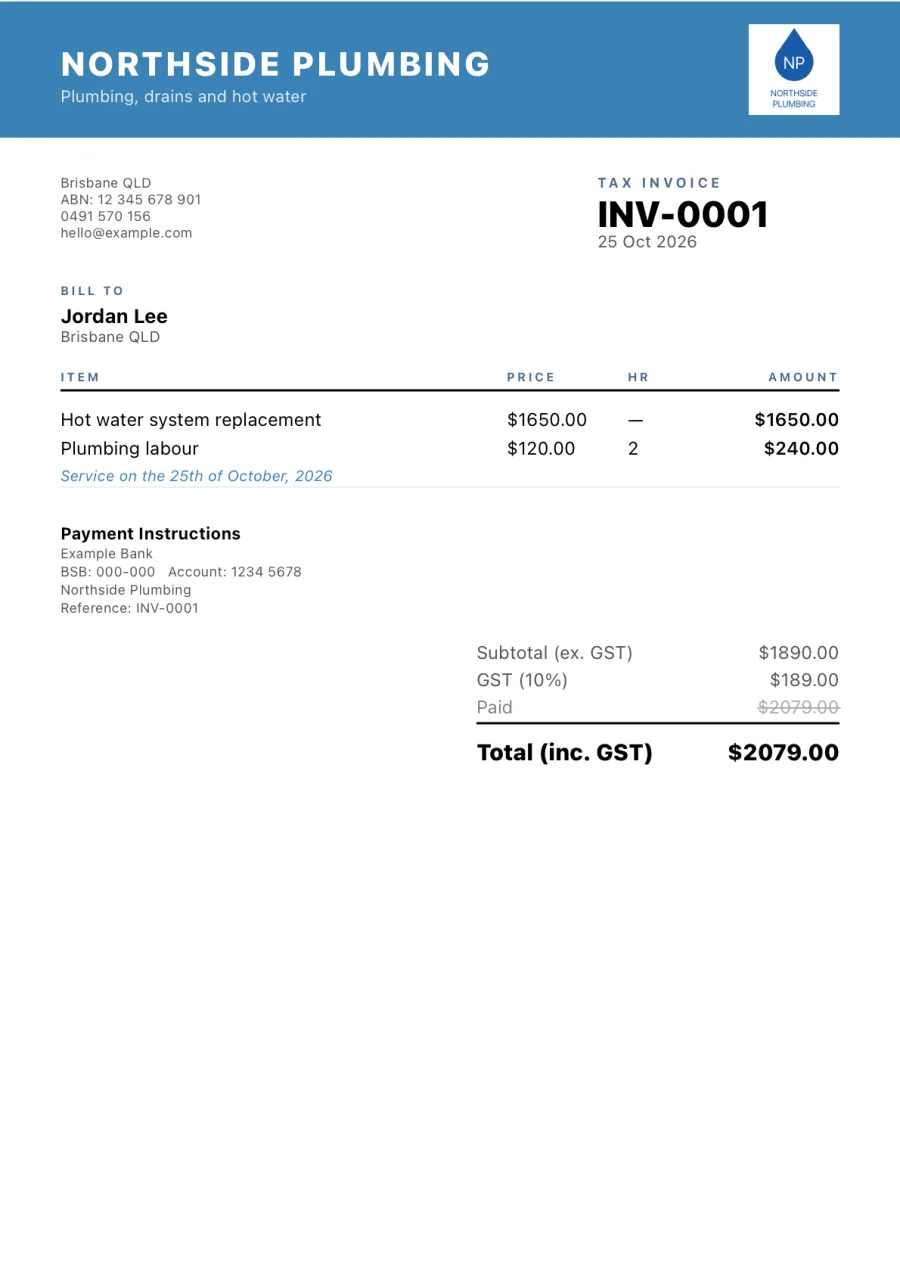
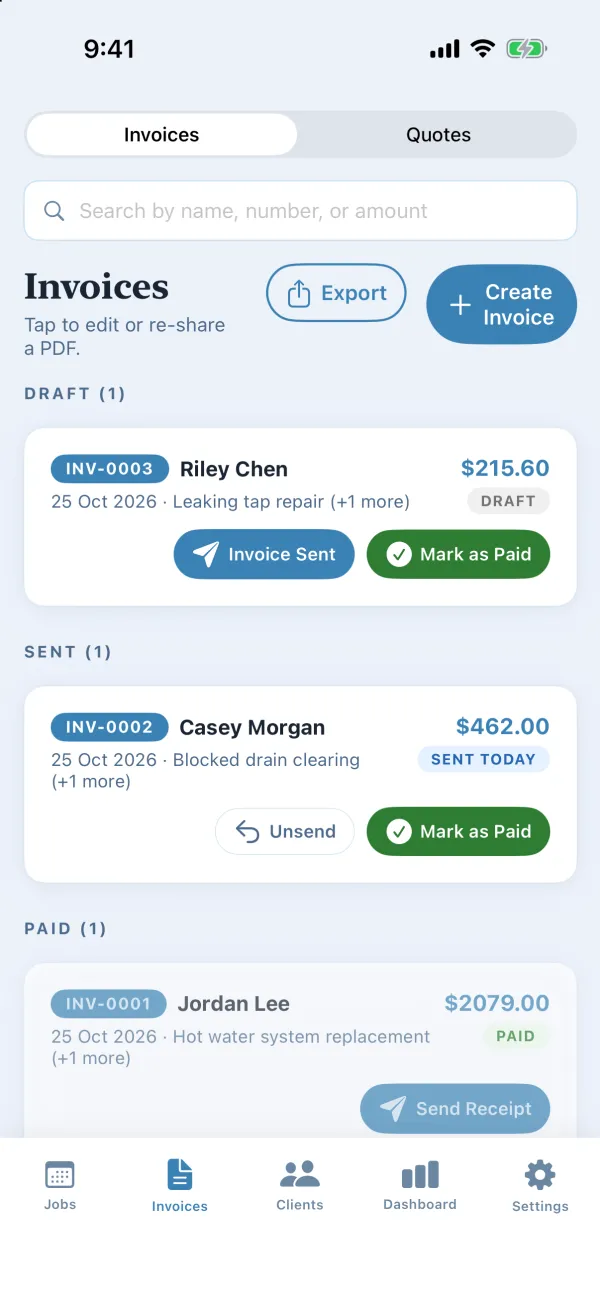
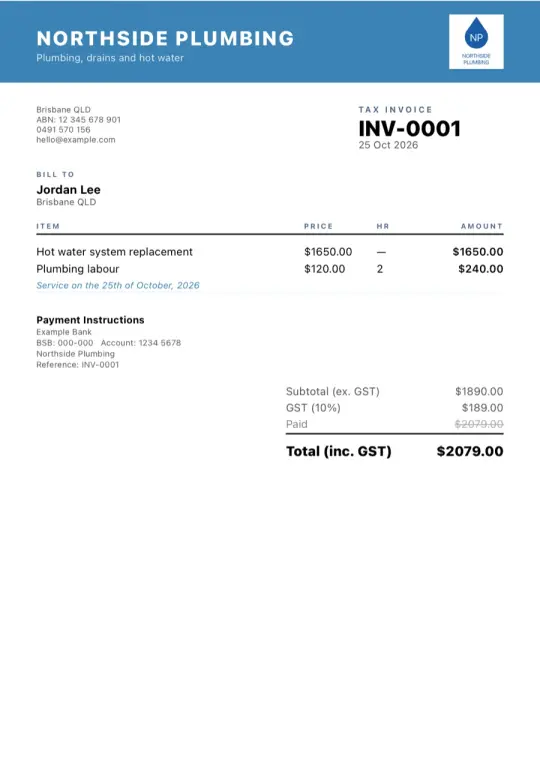
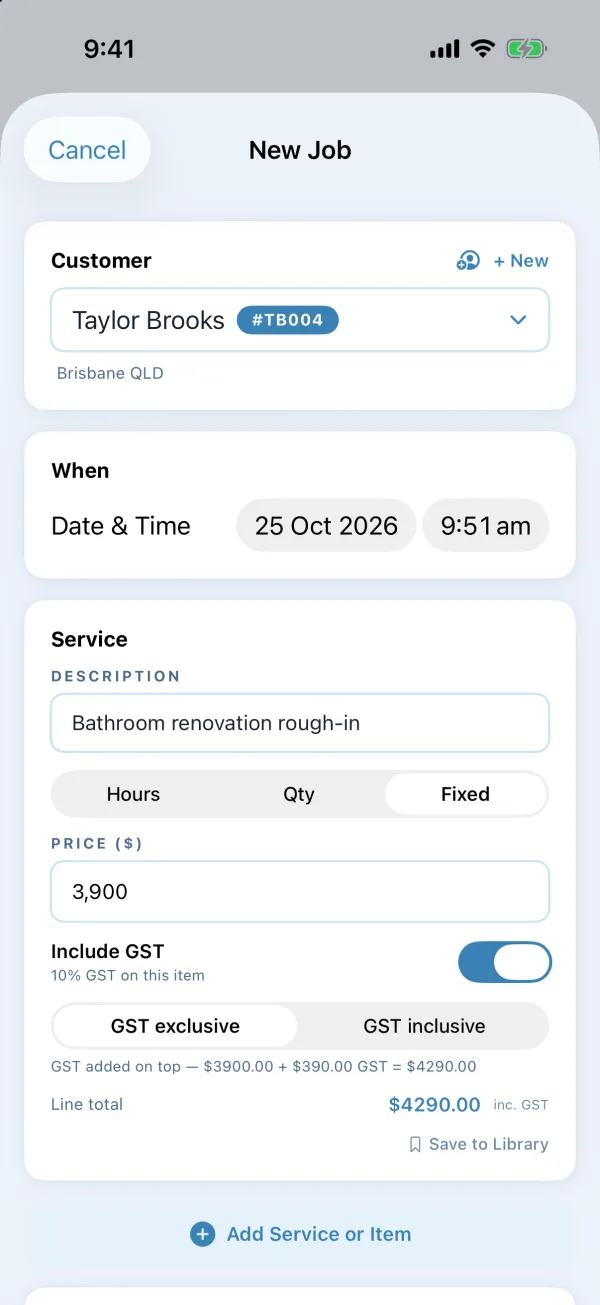
The invoice list, and the tax invoice it makes. Fictional business and clients.
For Australian sole traders and service businesses. Tax invoices, quotes and PDFs on the phone, with no subscription and no server.
Why it exists
Sole traders do their invoicing at night, on the couch, on their phone. Most invoicing apps want a monthly fee and your business data in their cloud. We wanted one that does the job properly, keeps your records on your own phone, and then gets out of the way.
What it does
- Tax invoices numbered from INV-0001, with jobs and clients, and quotes when you want them.
- Three PDF styles, sent by email, Messages, WhatsApp or AirDrop.
- Fixed-price lines and GST set per line.
- BAS sales export (CSV, accrual basis) and an expense export.
- Backup and restore, and a Face ID lock.
In use since September 2026.
The document room. Confidential files, shared with a short list.
For sharing confidential documents with a short list of people. Everyone gets their own sign-in, every PDF carries their name, and every view is logged.
Why it exists
Some documents are too sensitive to email as attachments. Once a PDF leaves your inbox you can’t tell who opened it or where it went next. We built a room where we decide who sees what and for how long, and can see who opened which document, and when.
What it does
- One sign-in per person, with a generated password. No shared logins.
- Groups decide who sees which folders.
- Stamped copies. Every PDF is shown with the viewer’s name and a copy code stamped across it, to discourage sharing. A stamp can be covered or removed, so it deters rather than prevents.
- A full access log. Access can be revoked, restored, extended or reset, and it expires after 60 days unless we extend it.
- Fails safe. If a view can’t be logged, the document isn’t shown. Videos stream inside the room and are logged too.
Connecting software
Even when there’s no API.
An API is the official doorway one program uses to talk to another. Plenty of the software small businesses rely on doesn’t have one, or charges extra for it. That usually isn’t where we stop. Here are the four ways we connect things, most reliable first.
-
1
Use the official connection.
When the software has an API, like Xero, Gmail or Google Calendar, we use it. It’s the most reliable door.
-
2
Use what it already sends.
Exports, emailed reports, notifications and webhooks. If the software can send something out, we can catch it and put it to work.
-
3
Hand off to its own app.
No API? Open the right page of the software’s own app or website with the details ready, and let a person finish there. Homified’s Woolworths hand-off (chapter 02) works this way.
-
4
Where the terms allow it, work the screen.
An assistant opens the software in the right signed-in account and clicks through it the way you would (chapter 07). Each action can be set to wait for a person’s OK, and publish and push buttons are refused outright.
The morning brief (chapter 08) is the first way at work: it reads mail, the calendar and Xero through their official connections. Stuck with software that won’t talk to anything else? Tell us what it is, and we’ll check how it can connect before we quote.
In use in our office.
The assistant. An AI that can use your apps, within hard limits.
Two tools that let an AI assistant work in real software. One opens any page in the browser profile that’s already signed in to the right account. The other lets it see the screen, click, type and move between apps on a Mac.
Why it exists
A lot of small-business admin is clicking through websites that will never have an API: portals, dashboards, suppliers’ order pages. We wanted the assistant to do that clicking for us, with hard limits on what it may touch.
What it does
- Right account, first time. Pages open in the Chrome profile already signed in for that business, so nobody types passwords, and the tool never reads them.
- Works like a person. It reads the screen, presses buttons, types, and handles windows and the clipboard.
- A hands-off list. It won’t touch terminals, code editors, remote-control apps or script runners, and it stops while one of them is in front.
- Hard stops. Publish and push buttons are refused, nothing is clicked or captured on a locked Mac, and confidential folders are never captured.
- A person stays in charge. Every action can sit behind a permission prompt.
Runs on our own mail every morning at 7:30.
The morning brief. One email that says what needs you.
An assistant reads several mailboxes, the calendar and the accounts, then sends a single brief: what to do today, who’s owed a reply, and what money is moving.
Why it exists
Email was burying the real work. The messages that mattered sat between newsletters and receipts, spread across several inboxes. Now one brief at 7:30 says what needs us, and the inbox stays sorted.
What it does
- Reads three mailboxes, the calendar and Xero, and checks every “reply owed” against what was actually sent.
- The only email it sends is your brief. It can’t reply, draft, forward or delete anything.
- Sorts the inbox into Action, Money, Read later and Noise. It archives instead of deleting, and never archives mail from real people or about money.
- Flags supplier invoices worth checking for an R&D tax claim.
- Never clicks unsubscribe links. It hands you the list to do yourself.
Want one email like this for your own office each morning? Tell us what you’d want in it.

First batch of 100.
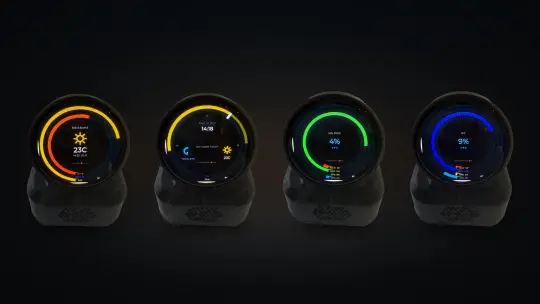
THE ORB. A desk display we design and build.
A round 1.75 inch AMOLED screen with Wi-Fi, powered by USB-C. It shows your week’s estimated AI usage, a focus timer or your next meeting, one thing at a time.
Why it exists
It started as a gauge on our own desk, so we could see how much of our AI tools’ weekly limits we’d used without opening a dashboard. We liked glancing at it so much that we made it into something anyone can put on theirs.
What it does
- WEEK and TODAY rings: estimated usage from Claude Code, Codex or Grok.
- TIMER: a 25 or 50 minute ring that drains as you work.
- NEXT: your next calendar event. Your own tasks and deadlines are coming in an update.
- No account, no server. It talks to a small companion app on your Mac or PC.
- Safe updates that roll back on their own if one fails.
See THE ORB. A$199 incl. GST and postage within Australia. Ships within 4 weeks of your order. You can cancel for any reason before it ships, for a full refund.
Our in-house design tool.
Prompt to CAD. Describe a part. Get a file you can make.
Prompt to CAD turns a plain-English description into a 3D model to print or machine. For parts that carry load, it runs a strength check, trims away material the part doesn’t need, then checks the finished shape again. A person reviews every design before anything is made.
Why it exists
We’ve spent years in workshops making brackets, mounts and one-off parts by hand. This is the tool we wanted back then: say what the part has to do, and get back a design that’s already been strength-checked, ready for a person to review.
What it does
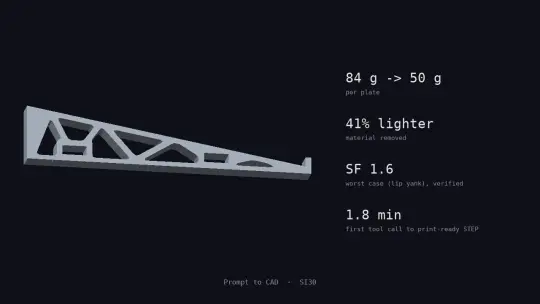
- A laptop cooling stand: five load cases, 84 g down to 50 g, safety factor 1.6. Printed and in daily use.
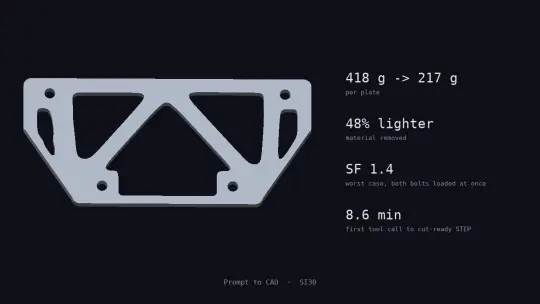
- A go-kart engine mount in 8 mm aluminium: 418 g down to 217 g, safety factor 1.4, checked for bumps, a clutch grab and hard braking. A design study, not a substitute for a physical test.
- A 2D strength check of in-plane loads, which suits plates and brackets.
- Files out as STL or STEP.
Two live, three concepts under construction.
Websites. Sites that show what you do.
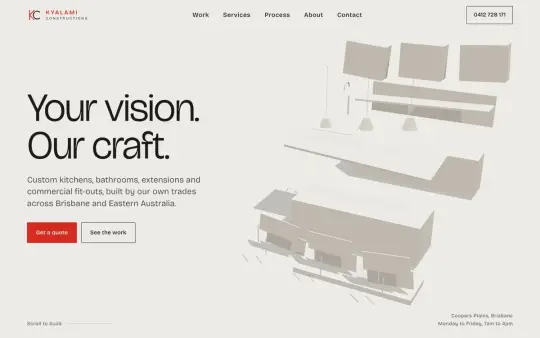
Fast, hand-built sites with one memorable idea at the top, hosted on Cloudflare.
Why it exists
Our first websites were for people close to us: our sister company, a family repair shop and a friend’s building company. Each one starts from what that business is proudest of.


Need one for your business? Starter is A$548.90 incl. GST for up to 3 pages, plus hosting at A$27.50 a month incl. GST. Custom is up to five pages that work on phones and are set up for Google, for a flat A$1,990 ex GST. SEO after launch is A$490 a month ex GST. See websites and SEO
Your turn
What keeps slipping in your business?
Tell us in a few lines. Within one business day we’ll tell you honestly whether software can fix it. Our first meeting is free: one video call, about an hour. We map how a job moves through your business and show you where it gets stuck. You keep the map, a one-page PDF, whether or not you go ahead.
Not ready to talk? Take the 1-minute job check.
First stage at a fixed price, from $3,000 ex GST, agreed in writing before work starts. We plan for it to go live within four to six weeks of the go-ahead, with a demo every week while it’s built.
Rather talk? Call 0410 383 332, weekdays 8am to 5pm.
Product names on this page belong to their owners. We aren’t partners of Woolworths, Xero, Google, Instagram, WhatsApp, Meta, Apple, Anthropic or OpenAI.